From AI Research Assistants to AI Workflow Automation
A practical framework for LLM workflows, skill-based agents, and autonomous execution agents based on what we have learned building AI systems for investment research.

Ganesh Voona
Co-Founder12 min read
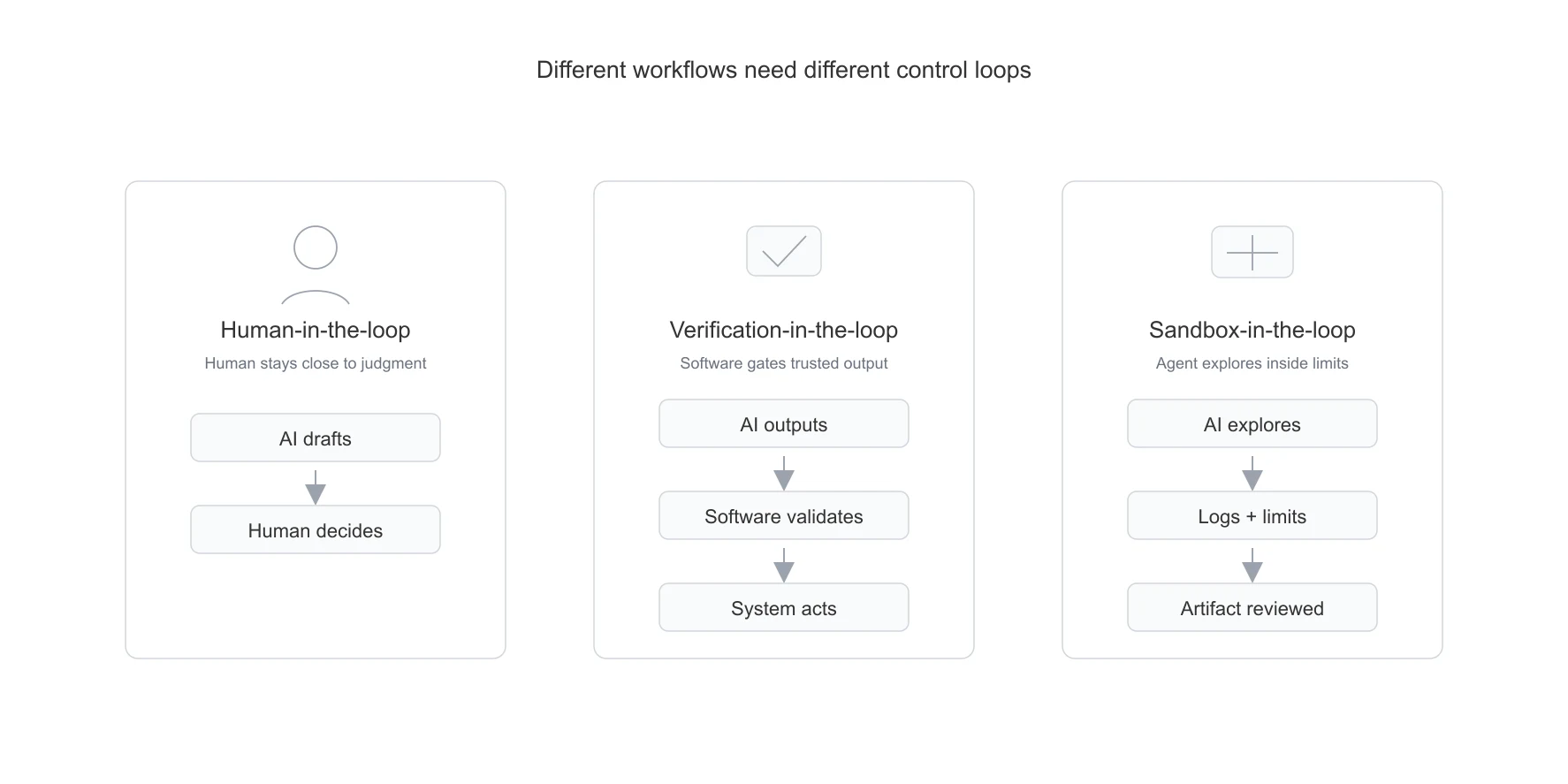
The first wave of LLM adoption in investment research looked like assistance. Ask a question about a filing. Summarize an earnings call. Search across annual reports. Draft a note. Extract a few metrics. Help an analyst think faster.
That was useful, but the human was still the workflow engine. The model helped with reading, searching, summarizing, and drafting. The analyst still had to decide what to trust, what to copy, what to validate, and where to use the output.
The next wave is different. AI is moving from research assistance to workflow automation. The question is no longer just, "Can the model answer this?" The question is, "Can the system complete a bounded part of the work?"
That shift changes the engineering problem. Once AI starts doing work, reliability, validation, observability, cost control, and human escalation matter as much as the model itself.
While building stockinsights.ai and custom workflows over filings, transcripts, quarterly results PDFs, financial statements, Excel models, and internal research material, we have found it useful to think about production AI systems in three broad categories:
- LLM workflows, where models sit inside mostly deterministic software.
- Skill-based agents, where models choose from approved tools inside controlled boundaries.
- Autonomous execution agents, where models can plan, inspect, write or run code, and continue inside an execution environment.
These are different architectures for different kinds of work. The best architecture is the one that gives the model enough freedom to solve the problem, and no more.
Architecture Summary
| Category | Model autonomy | Best for | Main risk |
|---|---|---|---|
| LLM workflows | Low | Repeatable, high-volume workflows with structured outputs and validation | Over-engineering before the process is understood |
| Skill-based agents | Medium | Human-in-the-loop workflows where the model can choose from approved tools | Tool misuse, context bloat, unclear boundaries |
| Autonomous execution agents | High | Open-ended, exploratory, high-value tasks where the path is not known upfront | Cost, unpredictability, security, observability |
One important caveat: these are not maturity levels.
A company does not "graduate" from LLM workflows to autonomous agents. In many production settings, the best final architecture is still a tightly controlled workflow with deterministic validation. More autonomy increases flexibility, but it also increases cost, variance, and governance burden.
1. Autonomy Is the Useful Lens
Most discussions around agents are too binary. A system is either called an "agent" or it is not. That label is not very useful.
A background pipeline that classifies documents, extracts fields, validates results, and creates an exception queue may not look like an agent, but it can automate a large amount of work. A chatbot with ten tools may look like an agent, but if it leaves every action to the human, it may not automate much.
The better question is: where does the workflow logic live?
If the workflow logic lives mostly in code, and the model handles narrow fuzzy steps, the system is an LLM workflow. If the workflow logic is partly dynamic, and the model can choose from approved capabilities, it is a skill-based agent. If the model can plan, execute, inspect results, and revise its approach inside an environment, it is an autonomous execution agent.
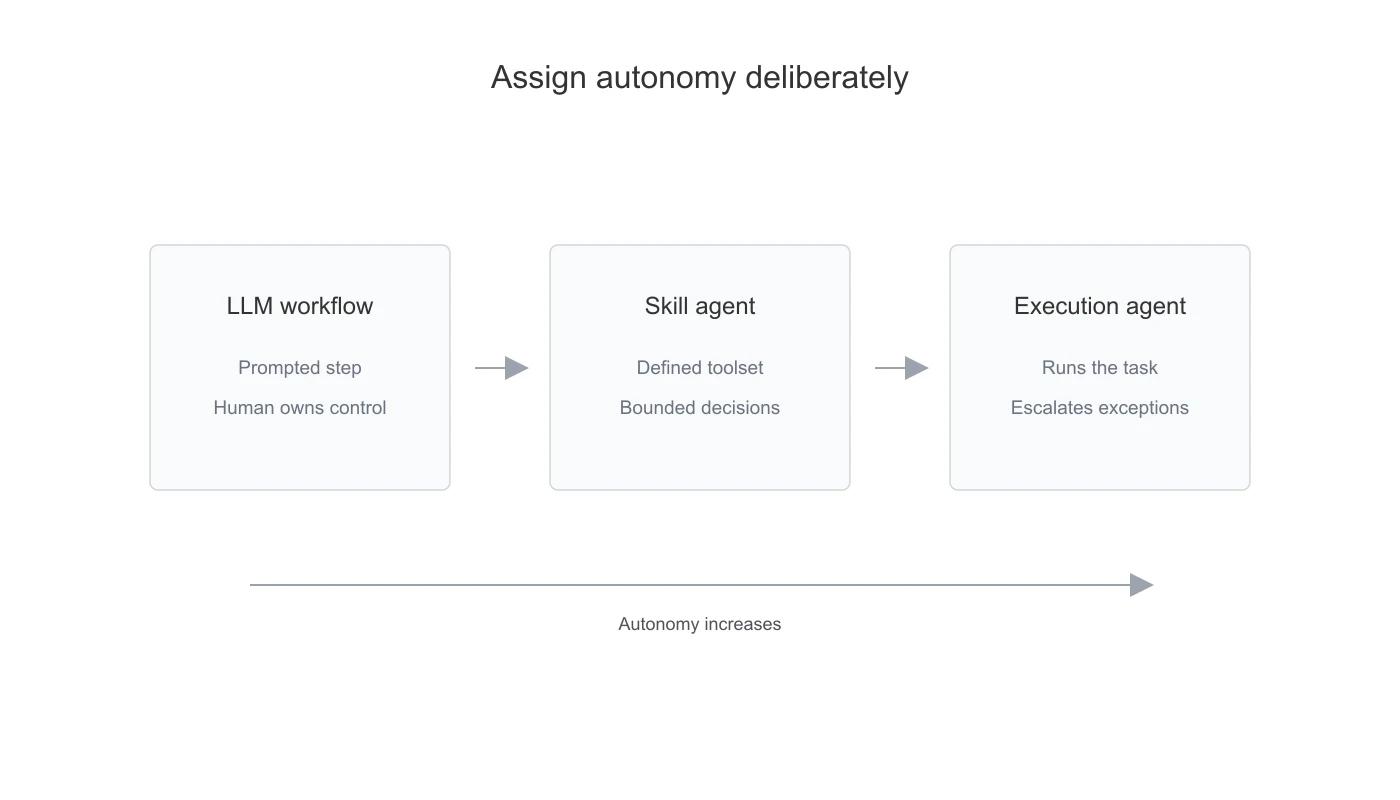
In our own work, the same product can contain all three patterns. A filings data extraction pipeline is mostly an LLM workflow; we wrote about this in our quarterly-results PDF processing case study. AI Assist on our platform is closer to a skill-based agent because it retrieves filings, transcripts, announcements, and financial data based on the user's question. For internal engineering workflows such as testing, ticket resolution, and small workflow improvements, we use autonomous execution more cautiously: the agent works in a sandboxed branch, inspects code or data, and creates a PR for review.
The mistake is to call all of these "agents." They have different cost structures, failure modes, and governance needs.
More autonomy helps only when the work is genuinely dynamic.
2. LLM Workflows
LLM workflows are the least glamorous category, but they are often the most useful for real automation.
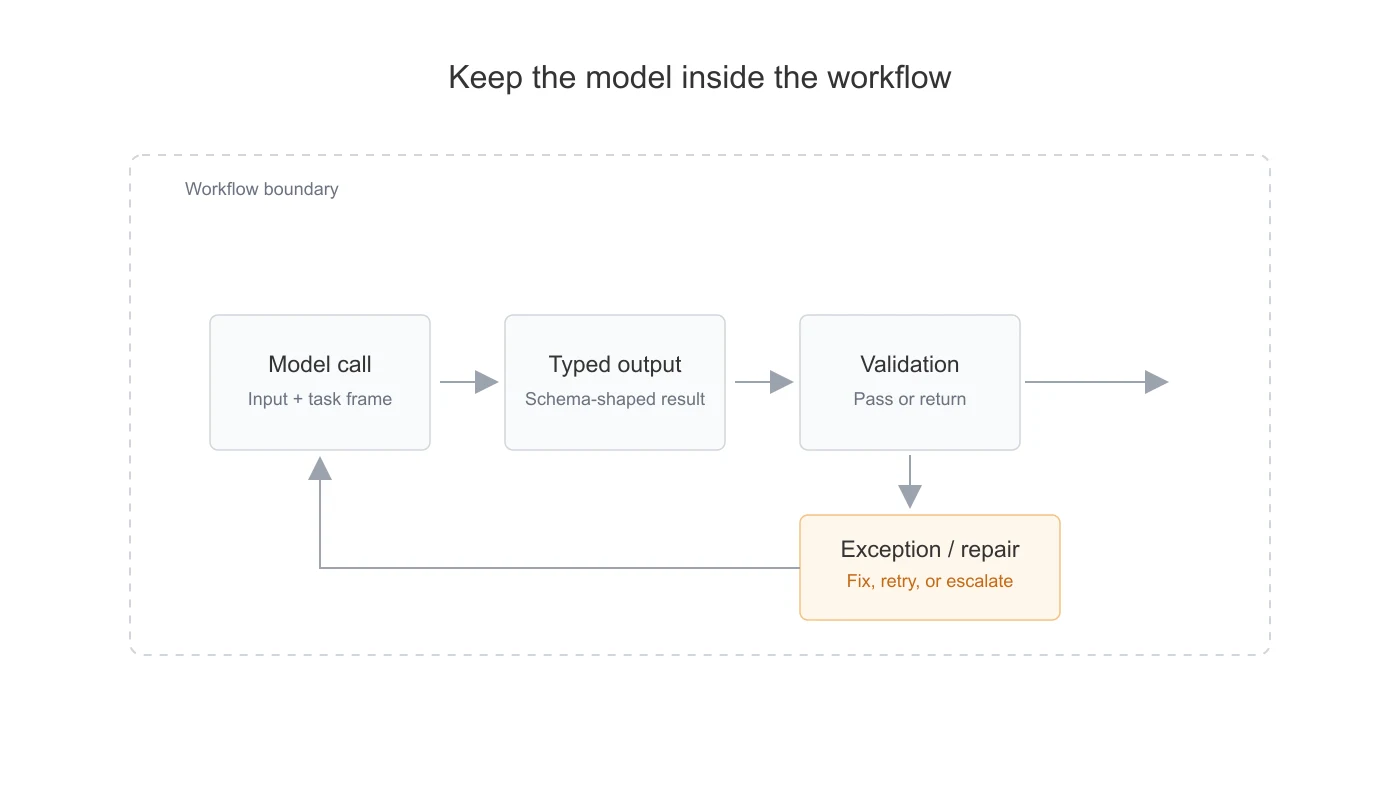
In this pattern, the business process is decomposed into clear steps. The model is used where deterministic software struggles: classification, extraction from varied formats, semantic mapping, summarization, or repair of ambiguous outputs. The rest of the workflow stays in code.
Use an LLM workflow when the work is repetitive, high-volume, document-heavy, semi-structured, rule-checkable, expensive for people to do manually, and risky if wrong. In investment research, that includes filing extraction, results processing, portfolio monitoring, model updates, and report generation. The same pattern also applies to adjacent document-heavy workflows in compliance, audit, insurance, legal operations, and KPO-style businesses.
The model should not own the whole process. It should own the parts that require judgment over messy inputs. Software should handle certainty: arithmetic, schema validation, permissions, workflow state, retry limits, database writes, publishing logic, and audit logs.
This remains true even when the model is very capable. A stronger model can write code, reason through rules, and solve messy cases, but that does not mean it should do the same reasoning every time the workflow runs. Once a step becomes stable and repetitive, it should usually become software, a validator, a schema, a reusable tool, or a fixed workflow step.
The controls matter more than the prompt. A production LLM workflow usually needs:
- narrow prompts that see only the context needed for the current step
- typed schemas or contracts for machine-consumed output
- deterministic validation outside the model
- repeatable logic moved into code instead of repeated model reasoning
- targeted retries instead of starting over
- exception handling when the output cannot be trusted
- observability around inputs, outputs, validators, latency, and cost
Where LLM workflows fail is usually not model quality alone. They fail when the workflow treats a model response as a finished result. A clean JSON object is not the same thing as reliable data. If the output matters, it needs to be checked by software before it moves downstream.
The tradeoff is upfront engineering. LLM workflows need more design than a single prompt. But once built, they are usually cheaper, faster, easier to test, and easier to operate than higher-autonomy agents.
3. Skill-Based Agents
Skill-based agents are useful when the user knows the task, but the path varies.
The system may need to search a knowledge base, fetch data, compare documents, run a calculation, draft a report, create a task, or ask for clarification. A fixed workflow is too rigid, but a fully autonomous agent is unnecessary. The model needs some freedom, but only inside approved boundaries.
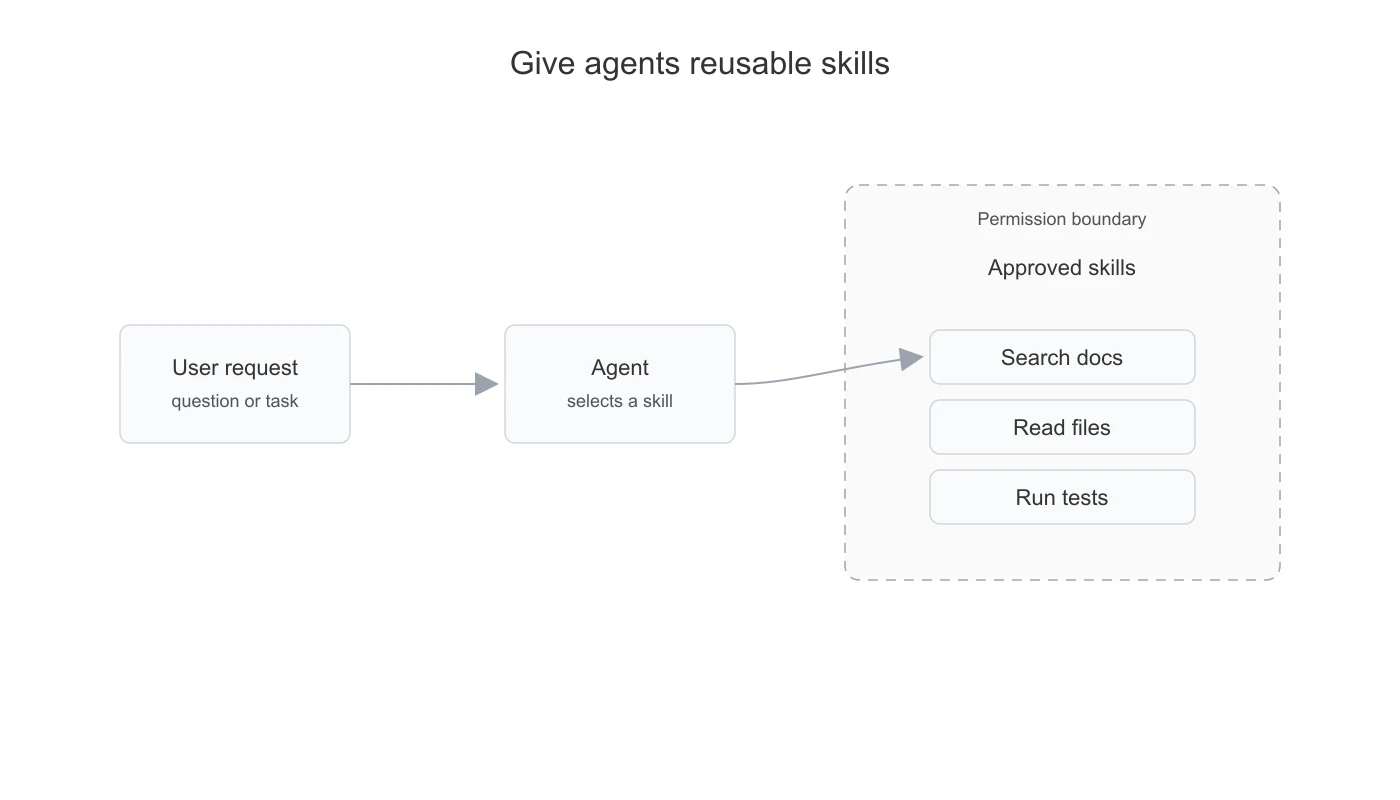
This is where skills matter. A skill should be a clear, high-level capability, not a raw internal API. The model does not need every database endpoint. It needs actions it can understand and use safely.
Instead of exposing low-level operations like get_table_rows or run_sql_query, expose skills such as search_documents, fetch_customer_context, compare_metrics, draft_response, or create_exception_note.
A skill is more than a tool wrapper. It is a packaged capability: task-specific instructions, relevant context, constraints, examples, and references to the approved scripts or tools needed to perform the action. The agent can read the skill, use the parts that matter for the current request, and invoke existing code without rediscovering the process from scratch.
A good skill has a narrow purpose, typed inputs, predictable outputs, permission checks, concise error states, and a response shape the model can reason about. The agent should not know how the database works. It should know what action it is allowed to request.
For stockinsights.ai, this is the pattern behind an analyst-facing research assistant. The user may ask a question in natural language, but the system still needs to decide whether to search filings, transcripts, announcements, structured financial data, or market updates. The answer is not just a prompt. It is tool selection, context retrieval, source grounding, and response generation inside a controlled environment.
Skill-based agents fit human-in-the-loop work. The agent reduces search, reading, copying, drafting, and first-pass reasoning. The human still approves, edits, or decides. That makes the pattern useful for analyst copilots, support workflows, compliance operations, internal knowledge assistants, and operational dashboards.
The main risks are tool misuse, context bloat, stale information, repeated calls, unclear permissions, and actions taken without enough confidence. The answer is not to give the agent every possible tool. It is to make the action space smaller and the tools more meaningful.
Skill-based agents need product-level guardrails:
- which tools are available
- which tools are read-only
- which actions require approval
- which data can enter the prompt
- which outputs can trigger external communication
- how every tool call is logged and inspected
The agent is no longer just answering. It is participating in a workflow. That means permissions, observability, and approval flows are part of the product, not add-ons.
4. Autonomous Execution Agents
Autonomous execution agents are useful when the task cannot be reduced upfront into a fixed workflow or a small set of approved tools.
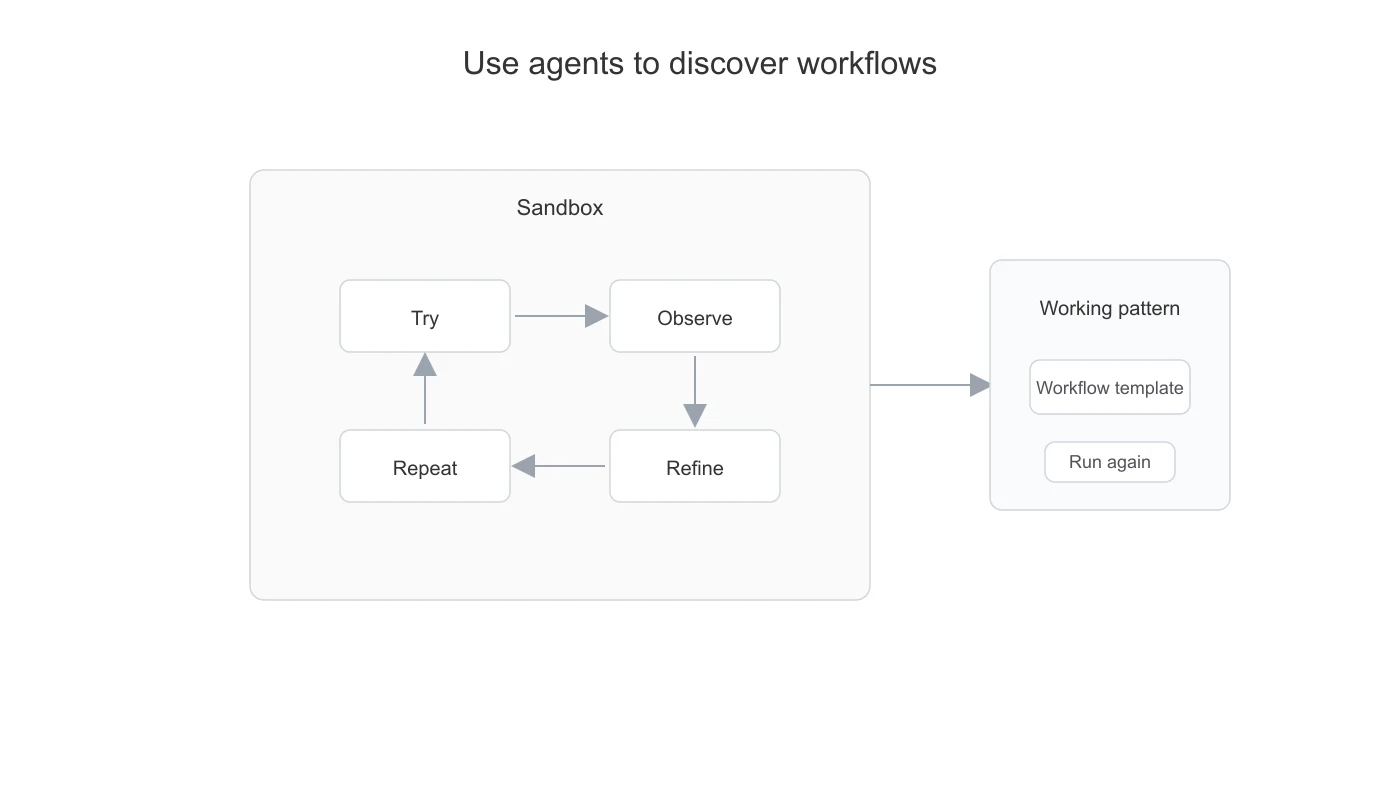
The agent may need to inspect files, write code, run code, debug failures, transform data, operate a browser, search a repository, or create a one-off analysis. This is closer to how a person works through an unfamiliar problem: try something, inspect the result, revise the approach, and continue.
This is powerful, but it is also the highest-risk category. Autonomous agents use more tokens and more time because they loop. They are harder to test because the path is not fixed. They are harder to secure because they may interact with files, tools, browsers, or execution environments.
Use autonomous execution agents for high-value, path-dependent tasks: exploring a messy folder of files, debugging a one-off data issue, transforming documents into a new format, inspecting an unfamiliar repository, or producing an analysis where the method is not known in advance.
Autonomous execution agents are tempting because they look closest to a digital analyst. But they should usually be introduced after the team understands the workflow.
Do not use autonomous execution agents for stable repetitive work. In a sandbox, the agent may write or revise code each time it runs, which is useful when the path is unknown but wasteful when the workflow is already understood. Repeated code generation also creates more chances for small failures. A useful rule is: use autonomous agents to discover workflows, then productionize the repeatable parts into narrower workflows, schemas, validators, cheaper execution, or skills.
The control layer matters most here. A production autonomous agent needs a sandboxed environment, limited credentials, explicit artifact passing, command and output logging, cost limits, approval before destructive actions, and a clear record of what it did.
Without that, the system may look impressive in a demo and become impossible to operate in production.
5. Choosing the Right Architecture
The practical question is not, "Should we build an agent?" The better question is, "What is the lowest level of autonomy that can reliably solve this workflow?"
Use an LLM workflow when the process can be broken into steps, inputs are repetitive, outputs need to be structured, validation is possible, cost and latency matter, and mistakes should become review items.
Use a skill-based agent when the path varies, the action space can be bounded, tools can be permissioned, context must be loaded dynamically, and a human remains in control of the final judgment or action.
Use an autonomous execution agent when the task is open-ended, the path cannot be predefined, the value justifies the cost, sandboxing is possible, and failures can be inspected.
A good product may use all three. A workflow may process routine cases in the background, a skill-based agent may help users inspect exceptions, and an autonomous agent may handle rare one-off analysis tasks.
The architecture should be chosen at the workflow-step level, not once for the whole product.
6. Design Principles
Across all three categories, the same principles keep showing up.
- Make the model see less. Large context is not always better. Pass the minimum context needed for the current step.
- Do not make the model re-solve stable problems. If the same reasoning, transformation, or code path is needed every run, turn it into software, a tool, or a workflow step.
- Make outputs typed. Free-form text is fine for human reading, but machine-consumed output needs schemas, contracts, or typed internal objects.
- Validate outside the model. Do not ask the model whether it is confident. Use software checks, business rules, permissions, arithmetic, and consistency checks.
- Keep people in the loop where uncertainty remains. The goal is not to automate every case. The goal is to automate the right cases and route the rest clearly.
- Instrument every step. Production AI systems need traces: prompts, models, tool calls, inputs, outputs, validators, retries, approvals, failures, latency, and cost.
- Add autonomy slowly. Start with a workflow, then add tools, then add scoped autonomy. Higher autonomy should be earned by evidence.
The mistake is treating AI automation as one architecture. A document processing pipeline, an analyst copilot, and a sandboxed coding agent have different cost structures, failure modes, and governance needs. They should not be built the same way.
Final Takeaway
AI started by helping analysts search, summarize, and draft. The next phase is different: systems are starting to read documents, call tools, validate outputs, generate artifacts, and route exceptions.
That does not mean every system should become an autonomous agent.
In production, the strongest AI systems usually keep the model inside a controlled workflow. The model handles ambiguity. Software handles certainty. Humans handle judgment.
The goal is not to maximize autonomy. The goal is to assign it deliberately.